Over the past few weeks, I have been working with a customer preparing for an enterprise deployment of Microsoft App Control for Business. This is an established environment with years of existing application deployments, not a new environment where every device and application can be standardized from the beginning.
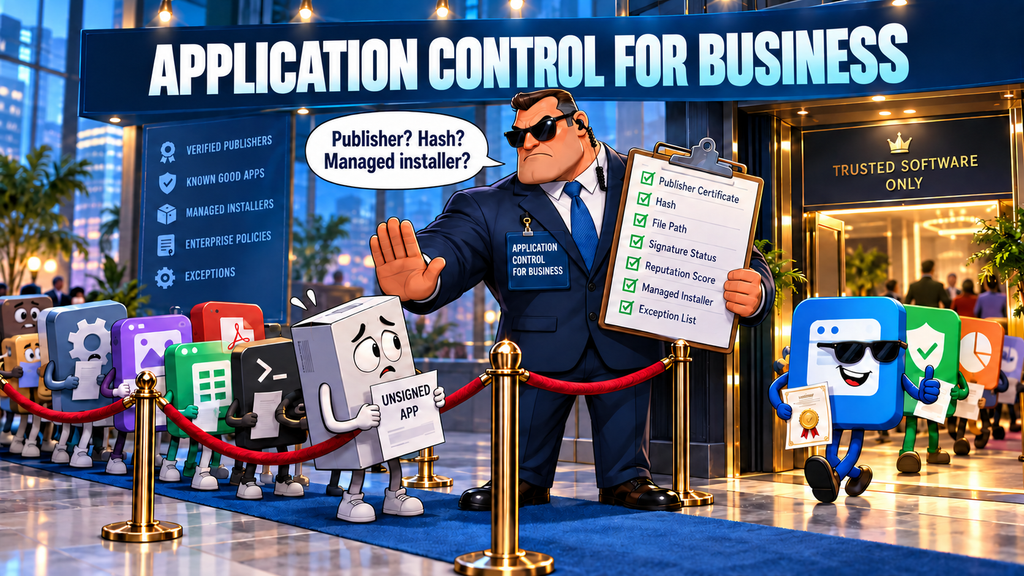
I had encountered App Control before, but this was an opportunity to refresh my knowledge and look beyond the surface at how the policies, trust mechanisms, auditing, and exceptions actually work. The closer I looked, the clearer it became that App Control is powerful, but considerably more complicated than it first appears.
I wanted to share some of that learning for others who may be evaluating it.
What App Control Actually Does
Microsoft App Control for Business, previously called Windows Defender Application Control or WDAC, controls which applications and other executable code can run on a Windows device.
App Control does not identify malware in the way Microsoft Defender Antivirus does. Instead, it establishes a trust boundary. Code inside the boundary can run. Code outside it is audited or blocked.
That boundary can include:
- Windows components and Microsoft Store applications
- Applications with good Microsoft reputation
- Applications deployed through an approved Managed Installer
- Applications from approved publishers
- Applications covered by specific allow rules
Although App Control can prevent malicious code from running, it does so because the code is not trusted by the policy, not because App Control determined that it was malware.
For that reason, I think App Control is better understood as an application-governance solution. Its most practical purpose is controlling software that might be safe but is nevertheless unlicensed, unsupported, unapproved, or otherwise unwanted on a corporate device.
It Controls Execution, Not Installation
App Control does not directly approve or deny the administrative act of installing software. It controls whether executable code can run.
If App Control blocks an installer, MSI, script, service, driver, or supporting executable, the installation will probably fail. If the software was installed before enforcement, App Control can prevent it from running, but it does not remove it.
Intune, Configuration Manager, scripts, or another software-management platform would still be needed to inventory and uninstall unwanted software.
Removing local administrator rights also remains important. That prevents many system-wide installations, although it does not prevent every application from running because some software can operate from the user’s profile without administrative privileges.
Managed Installer Trust
One of the most useful App Control capabilities is Managed Installer trust.
Intune can designate the Intune Management Extension as a Managed Installer. Applications subsequently deployed through it are tagged as having come from an organizationally trusted source. App Control can then allow those applications without requiring a separate rule for every product and version.
There is a similar capability for Microsoft Endpoint Configuration Manager, or MECM.
The challenge is that this trust is not retroactive. Applications installed before Managed Installer was enabled do not automatically receive the tag. An update may tag files that it creates or replaces, but it does not necessarily tag every existing component.
For previously installed applications, the organization may have to:
- Reinstall them through the Managed Installer
- Allow them through another policy rule
- Package previously unmanaged applications
- Sign internal applications or create signed catalogs
This is one reason App Control is much easier to introduce with new devices and standardized baseline images than in an established enterprise.
Intelligent Security Graph Reputation
App Control can also trust applications that Microsoft’s Intelligent Security Graph, or ISG, identifies as having a “known good” reputation.
ISG is not a fixed Microsoft-maintained list of approved applications. It is a cloud reputation service using Microsoft security intelligence and machine-learning signals. If an application is not covered by an explicit rule or Managed Installer trust, App Control can ask ISG whether the file has a sufficiently good reputation to run.
This can dramatically reduce the need to create allow rules.
For example, imagine an enterprise with 800 existing applications. Even if those applications were installed before Managed Installer was enabled, many widely used applications might already have sufficient Microsoft reputation to be allowed through ISG. The organization might therefore avoid reinstalling or creating rules for all 800 applications.
However, this creates a broader trust boundary.
An application can have a good Microsoft reputation without being approved by the organization. It might be safe and widely used but still be unlicensed, unsupported, or contrary to company policy. If ISG allows many such applications, the organization may need explicit deny rules to block them.
This creates an important policy decision:
- If the objective is to block unknown and low-reputation software, ISG can be extremely helpful.
- If the objective is to permit only software specifically approved by the organization, ISG may be too permissive.
Microsoft reputation and organizational approval are not the same thing.
The Challenge of Unsigned Applications
Unsigned internal and custom applications are another major consideration.
Signed software can often be allowed using a publisher or certificate rule that remains useful across application updates. Unsigned applications do not have that durable publisher identity.
The available alternatives all have limitations:
- Hash rules are precise, but the hash changes whenever the file changes.
- Filename rules are easier to maintain but provide a weaker identity.
- Path rules should generally be limited to protected locations users cannot modify.
- ISG may not recognize low-volume internal software as reputable.
- Managed Installer trust applies only when the files are written through the approved deployment process.
Organizations can also create signed catalog files covering collections of unsigned application files. This can be useful, but the catalog generally must be regenerated when those files change.
An enterprise with many unsigned, self-updating, or inconsistently packaged applications should expect considerably more policy-maintenance work.
The Positive Side of App Control
App Control has real advantages despite this complexity.
There is no separate App Control add-on license. The capability is included with supported Windows editions. Intune licensing is still required when Intune is used to deploy the policies, and Defender for Endpoint licensing is needed for its centralized hunting and reporting capabilities, but App Control itself is part of Windows.
It also provides a strong preventive control. Antivirus asks whether code is malicious. App Control asks whether it is authorized. Previously unseen code can therefore be blocked without first being identified as malware.
App Control can cover more than the main application executable. Depending on policy configuration, it can govern executables, DLLs, scripts, MSI packages, services, drivers, and packaged applications.
It is particularly valuable for tightly controlled systems such as kiosks, privileged workstations, virtual desktops, manufacturing systems, and fixed-purpose servers. These environments have narrow and predictable application requirements, making a restrictive trust boundary much easier to maintain.
Intune Policy Options
The current Intune experience is available under:
Endpoint security → App Control for Business
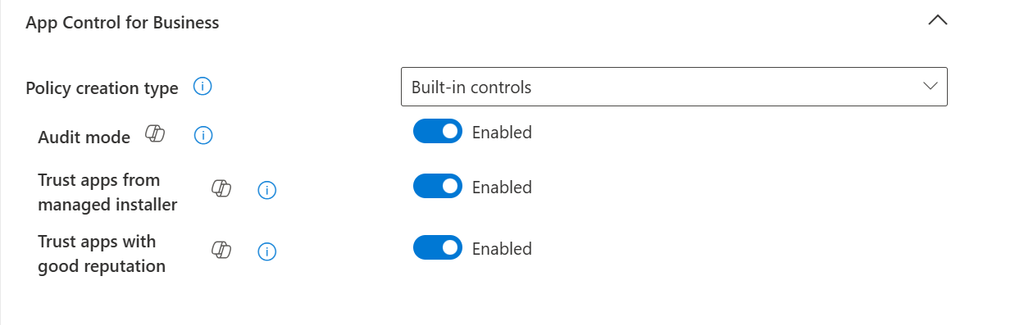
The built-in controls provide a relatively simple starting point. Trust for Windows components and Store applications is enabled by default, while administrators can choose whether to trust:
- Applications deployed through a Managed Installer
- Applications with good ISG reputation
The ISG option is not mandatory. An organization seeking a strict organizational allowlist can leave it disabled.
More advanced requirements require an XML policy. Custom policies can include publisher, certificate, product, version, package, path, hash, allow, and deny rules.
Supplemental policies can expand a base policy by allowing additional applications. They cannot subtract trust that the base policy has already granted. Explicit deny requirements therefore need to be designed into an appropriate base or deny-focused policy.
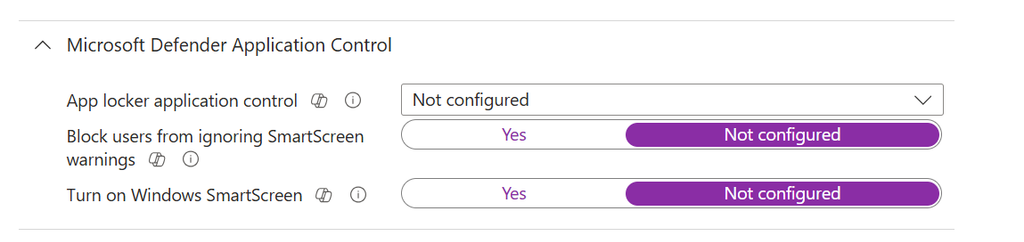
Note that the old Windows Defender application control policy is still available under Attack Surface Reduction. If you see the following image here in the wrong place.
The App Control Wizard
Microsoft provides the App Control Wizard to help create and maintain these XML policies.
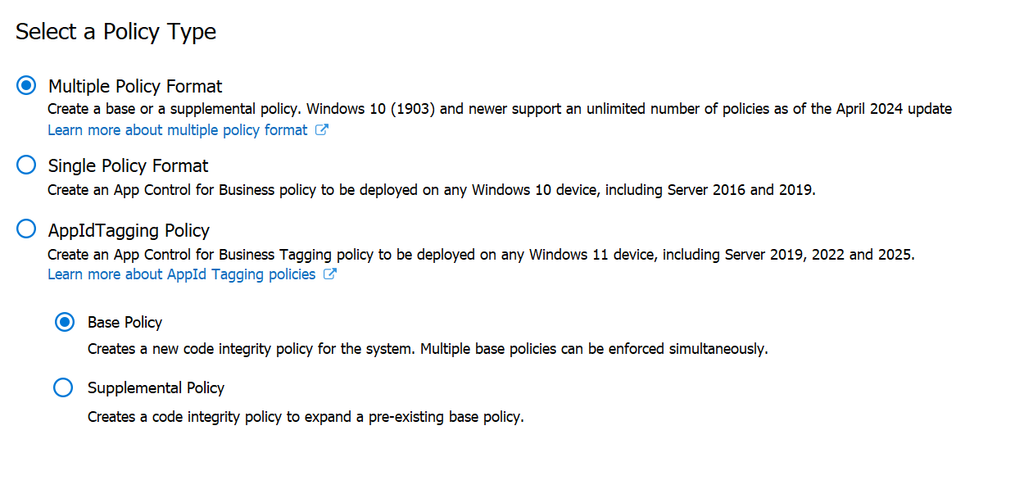
The Wizard can create base and supplemental policies, scan application folders, inspect signatures and file attributes, calculate hashes, and generate rules from local events or exported Defender for Endpoint data.
This makes policy creation more manageable, but it does not automatically identify every component belonging to an application. Drivers, services, plug-ins, updaters, and files created during application use might exist outside the scanned folder.
A clean reference virtual machine is often the best place to install, update, run, scan, and test an application. Wizard results should still be combined with audit events and Defender telemetry.
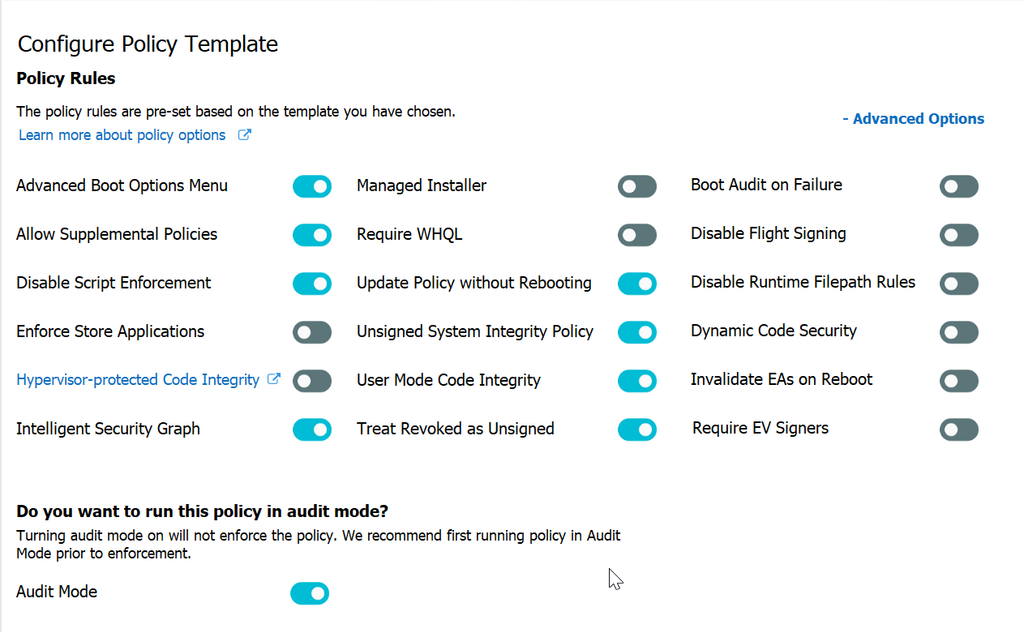
Audit Before Enforcement
App Control should be deployed in audit mode before enforcement.
A practical rollout would be:
- Establish the intended trust boundary.
- Enable Managed Installer and ISG trust where appropriate.
- Deploy the complete policy in audit mode.
- Review what enforcement would block.
- Investigate unexpected or unauthorized applications.
- Create the necessary rules.
- Retest the revised policy.
- Move into enforcement through progressively broader rings.
The trust options should be included before evaluating the audit results. Otherwise, the logs might report potential blocks for applications the final policy would allow, leading to unnecessary allow rules.
Audit results are also incomplete by nature. They only reflect code users attempted to run during the evaluation period. An infrequently used application or feature will not appear until someone uses it.
Local events are recorded in the Windows Code Integrity and AppLocker event logs. On devices onboarded to Defender for Endpoint, supported App Control events can also appear in device timelines and the DeviceEvents Advanced Hunting table.
A simple starting query is:
DeviceEvents
| where ActionType startswith "AppControl"
Exceptions Become an Operational Process
Once enforcement begins, someone will eventually be prevented from running software they need.
The organization must decide:
- Who determines whether an application is legitimately required
- Who evaluates security, licensing, and supportability
- Who can modify the policy
- How an approved exception is tested and deployed
- How emergency exceptions are handled
- How existing exceptions are periodically reviewed
The technical policy is only one part of the solution. Help-desk preparation, user communication, application ownership, approval workflows, and policy-administration skills are equally important.
App Control Is Only One Layer
App Control should not be evaluated in isolation.
Microsoft Defender Antivirus (or your preferred antivirus solution) should identify malicious and potentially unwanted software. Defender for Endpoint provides telemetry, software inventory, behavioral detection, investigation, and targeted indicators. SmartScreen, Network Protection, web-content filtering, and browser controls help prevent users from reaching malicious sources or downloading suspicious files.
Intune and Configuration Manager can deploy approved applications, inventory installed software, and remove unwanted software. Local administrator restrictions reduce unauthorized installations.
App Control operates as another layer by determining whether locally executing code is permitted to run.
It also does not control access to web-based applications. Access to cloud services requires controls such as Conditional Access, Defender for Cloud Apps, Global Secure Access, web filtering, or browser policy.
Final Thoughts
App Control for Business is an interesting and powerful capability. It can provide strong protection against unauthorized code, uses flexible trust mechanisms, integrates with existing Microsoft management tools, and does not require a separate App Control license.
It is also not something an enterprise should enable casually.
The broader trust mechanisms that make App Control manageable, particularly ISG and Managed Installer, may not perfectly represent the organization’s approved-software catalog. The narrower the trust boundary becomes, the more policy development, application packaging, signing, auditing, testing, and exception management the organization must perform.
For a new, standardized, or tightly controlled Windows environment, App Control can be a strong fit. For an established enterprise with years of accumulated and inconsistently managed software, it can become a substantial application-governance program.
My recommendation would be to avoid broad App Control enforcement unless there is a clear requirement that simpler controls cannot satisfy. Though it might make sense to use App Control for a subset of a larger audience of devices that need to be more tightly controlled If that requirement exists, the organization should approach App Control as an ongoing operational program, not simply another Intune policy to turn on.