This week, I found it necessary to take a closer look at Microsoft Entra Verified ID. I thought I would share what I learned, along with my impressions of what the service does well and where I would like to see it improve.
The easiest comparison is a driver’s license. You provide evidence to the DMV, the DMV verifies it and issues you an ID, and you can present that ID to someone else. Police officers, airports, and stores that sell alcohol accept driver’s licenses as evidence of identity or age because they trust the organization that issued them.
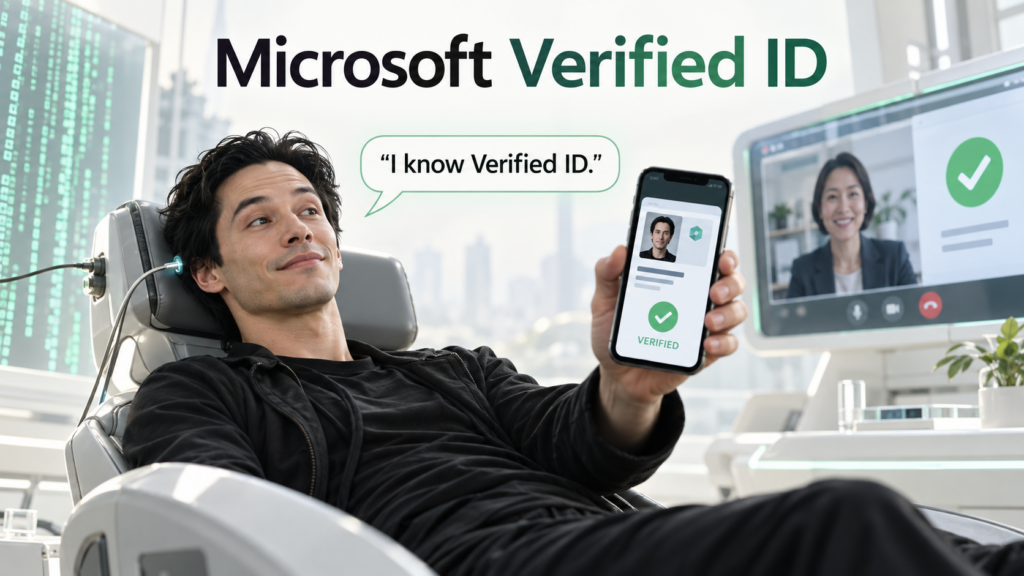
Verified ID applies a similar idea using digital credentials. A university could issue proof of graduation, a professional organization could issue a certification, or an employer could issue proof of employment. The person receiving the credential keeps it in a digital wallet, commonly Microsoft Authenticator on a phone.
You may already use an insurance card on your phone or show a digital membership card to enter a gym or club. Now imagine carrying a digital passport, driver’s license, or employee ID that another organization can verify. You might present it in person, but it could be especially useful remotely, such as when you call a bank to change your account settings and need to establish who you are.
Behind the scenes, the issuer signs the credential using a private key associated with its decentralized identifier, or DID. The issuer holds that private key and makes the corresponding public key available through its DID document, published at a public endpoint. When you present the credential, a verifier can retrieve the public key and use it to check the signature. It can also check whether the credential has expired or been revoked. If the credential contains a suitable photo, the verifier can request Face Check, which compares that ID photo with a live selfie taken through Microsoft Authenticator (using your phone camera).
Together, those checks establish that the credential came from the claimed issuer, has not been altered, and is still valid. They offer an alternative to some long-standing verification methods, such as asking someone to recite their Social Security number. The checks still depend on trusting the issuer. Just as we trust the DMV to issue a license to the right person, we have to trust a digital credential’s issuer to check someone’s evidence carefully. If the issuer makes a mistake or is deceived, the signature cannot correct that mistake.
Issuing a credential
The issuer (someone with a Microsoft Intune tenant) first decides what its credential means and what evidence someone must provide to receive it. Does the person work here? Did they graduate? Have they completed a certification? Depending on the claim, verification might involve existing records, an in-person visit, a video conversation, or an identity verification partner that checks a government document and a live photo. Once satisfied, the issuer gives the person a digital credential representing that identity, accomplishment, qualification, or association.
The person accepts the credential into an application on their phone. It is theirs to hold and present, much like a driver’s license in a physical wallet. If the phone is lost and the wallet cannot be recovered, the person must return to the issuer for a new credential. Think of replacing a lost credit card: the bank issues a new card (with a new number) rather than somehow returning the original card. The issuer needs a secure process to confirm that the person requesting the new credential is entitled to receive it.
Microsoft offers a quick setup option for issuing a VerifiedEmployee credential to people who already have accounts in your Entra tenant, primarily employees. Employees can request their credential through the MyAccount website, the same self-service website where they manage parts of their Microsoft work account. Microsoft manages much of the signing infrastructure, so you do not need to create your own Key Vault or build a separate application for employees to request this credential.
This employee-verified ID is especially useful when somebody needs to recover their work credentials, say, for example, their work device has got stolen or destroyed. Maybe they need to call the help desk while they’re on vacation and away from their work computer. This ID can verify their identity when other forms of ID are not available.
Quick setup also makes some decisions for you. The credential’s claims come from the employee’s Entra profile, and its lifetime is limited to a maximum of six months. If the credential includes a photo for Face Check, that photo comes from the employee’s Entra profile, which may be the same picture people see in Teams. Many employees understandably choose an avatar, a group photo, or a distant vacation picture for their everyday profile. Those pictures may be perfectly fine in Teams but unsuitable for facial comparison.
The advanced setup gives you more flexibility. You can define custom credentials, issue them to people who do not have accounts in your Entra tenant, set the credential’s lifetime, and supply a vetted photo from another source, such as an HR or badge system. That would let an employee keep the Teams picture they want while using an appropriate photo in their credential. It also means taking responsibility for more of the implementation, including a Key Vault for the signing key, a published DID document, and application integration.
It helps to picture how the key works. The issuing organization holds the private signing key. Its DID document, available through a public endpoint, contains the corresponding public key. When someone presents a credential, the verifier uses that public key to confirm that the credential was signed by the issuer and has not been tampered with. The verifier can check the credential’s expiration date and revocation status at the same time. It does not have to ask a person at the issuing organization to confirm each credential individually.
An issuer can revoke a credential before it expires. In the advanced setup, it can also rotate its signing key. The current signing key does not technically expire on its own, but periodic rotation is good practice. Microsoft’s rotation process generates an updated DID document containing the new public key and the older public keys still needed for valid credentials. The issuer must publish that updated document so credentials signed with earlier keys continue to work.
Verifying a credential
A organization decides which issuers and credential types it trusts. For example, a gas station might decide they only accept state and government IDs for alcohol purchase.
When a person presents a credential, the verification service checks its signature, expiration, and revocation status. That tells the verifier whether the credential is intact and still valid. The verifier must also decide whether the issuer’s claim answers its question and whether it trusts the process the issuer used to make that claim.
This is especially useful when you need to verify someone outside your organization’s sign-in boundary. Inside your organization, someone contacting the help desk through authenticated Teams or Outlook has already met the sign-in and multifactor authentication requirements you apply. That provides a fairly high degree of trust for many routine support requests that originate from Outlook or Teams from a fellow employee.
Compare that with someone attending a remote interview, starting a new job, or contacting an organization where they do not already have an account. There are also internal situations where an employee has lost their phone and cannot complete the usual sign-in process. In person, we might ask to see a driver’s license, passport, physical certification, or transcript. A credential from an issuer we trust offers a way to handle some of those checks remotely.
It could also help with sensitive help desk requests. Help desks have traditionally asked people to confirm facts such as their hire date or employee number, and sometimes even personal information an agent would be better off not handling. An impostor might know those answers anyway. A Verify ID request provides a more consistent process without making the agent ask for a Social Security number.
Face Check can add confidence that the person presenting a photo-bearing credential is the person pictured in it. That photo needs to remain useful over time. A haircut or change in facial hair may have little effect, but aging, substantial weight change, gender-affirming changes in appearance, or an old, poor-quality photo could lower the match score. A low score should lead to another verification path, not an automatic assumption that the person is an impostor.
These checks may be infrequent. Unlike MFA, someone might present a particular Verified ID only during onboarding, a sensitive support request, or an occasional application for access. They could go a year or two without discovering that the ID has expired or that its photo no longer works well for Face Check. If someone arrives for an interview without the required valid credential, one option is to reschedule and ask them to obtain a new ID from the issuer. In other situations, the organization may need a secure process that uses more traditional verification methods as a failover.
Where the experience feels complete, and where it does not
The experience for the person holding the credential is fairly well developed. They can request it, keep it in Authenticator, present it, and complete Face Check. Quick setup and the MyAccount website provide a straightforward route for employee credentials. There are useful integrations, too: an Entra access package can require a Verified ID during an access request, and Microsoft’s account recovery feature can use an identity verification partner and a newly issued credential to help someone who has lost all their sign-in methods obtain a Temporary Access Pass. That pass lets them get back into their account and register new sign-in methods; it does not restore the credentials that were on their lost phone.
There is also a LinkedIn connection I found interesting. LinkedIn supports workplace verification using Microsoft Entra Verified ID, allowing someone to confirm their association with an employer on their profile. It is a practical example of a credential issued by one organization being useful somewhere else.
Beyond those experiences, organizations quickly get into custom work. Issuing credentials to people outside the tenant, using a separate photo source, or adding a verification action to a help desk application requires building or integrating an application. For example, a help desk tool could initiate a request, display a QR code, receive the verification result, and guide the agent’s next step. Microsoft provides the service and APIs, but the organization has to build that process into its workflow.
I also have not found a simple tenant-wide inventory of every issued credential or a built-in notice sent to each holder when their credential is approaching expiration. An administrator can search for and revoke a particular credential when it has an indexed claim, but that is different from seeing a list of every holder, issuance date, and expiration date. For something a person might use only once in a year or two, that is a meaningful gap. Organizations need their own process for recording issuance, sending targeted reminders, and issuing new credentials before the old ones expire.
This might all seem like way too much effort for those rare situations where you need to verify someone’s ID remotely, especially when traditional methods don’t require any additional development and have been used for so many years.
Offboarding is another question I would test before deployment. Microsoft documents revoking an employee credential when someone leaves, but I would not assume that disabling or deleting their Entra account automatically revokes the credential already in their wallet. I would include credential revocation in the termination process and verify that the process works in a pilot.
I have a similar question about account recovery. Microsoft documents identity proofing, Face Check, and matching the verified identity to the Entra account. I have not found a documented built-in check that flags a recovery attempt when that account remains actively in use. In my experience, continued activity during a separate recovery attempt would warrant closer scrutiny, particularly for a sensitive account.
Finally, the costs depend on which parts you use. Face Check is included with Entra Suite or can be billed per verification through a linked Azure subscription. The built-in account recovery and access package experiences have their own licensing requirements and, where applicable, identity verification partner costs.
I think Verified ID could become an important way for people to share proof of qualifications, employment, transcripts, and other claims across organizations. Some of its user experiences are already quite good. What gives me pause is the amount of custom development and lifecycle management still needed around many practical deployments. I would like to see more integrations in the applications people already use, along with inventory, renewal, and offboarding tools. I am also curious whether an agent or MCP integration could simplify parts of issuance and verification.
Whatever the implementation, there must be a fallback process. A credential could be lost or expired, or Face Check could return a low score for its rightful holder. Sending the person back to the issuer for a new credential may be the best answer, but it will not always be possible in time to resolve the request. A help desk or other verifier needs to decide in advance which other methods it will accept and how it will handle a request it cannot safely verify.