I keep seeing the same pattern, and it is getting frustrating.
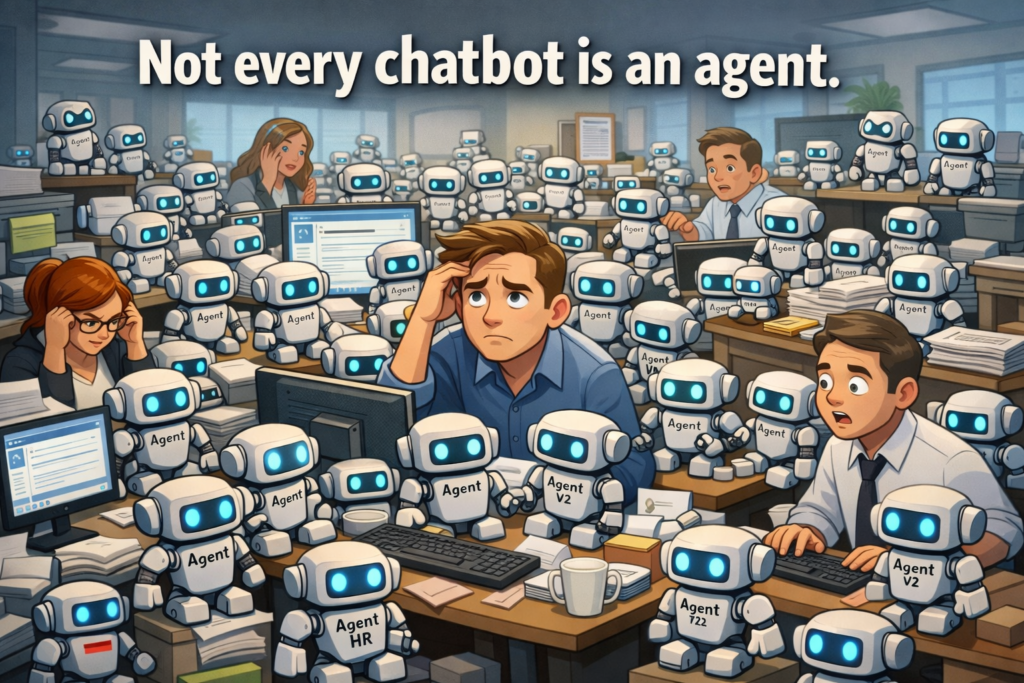
Microsoft is calling custom chatbots “agents,” and now everyone is building them. The problem is most of these so-called agents are not agents at all. They are just slightly modified chat prompts wrapped in a UI.
I said this before, but it is worth revisiting because the misunderstanding is getting worse, not better.
Public vs Enterprise vs Private LLMs
Let’s reset the foundation.
Public LLMs have broad knowledge and strong reasoning, but no inherent awareness of your private data. Public LLMs also make no promise of privacy and will likely capture and user your data in future training rounds. If you want them to help with something personal or sensitive, you have to paste that data in yourself or grant access to your accounts. Either way, you are making a tradeoff.
For example, a public LLM knows nothing about your finances or medical history. You can paste in your tax records or health data to get better answers, but from a privacy standpoint that is not a great move.
The less you pay for an LLM with money, the more likely you are to be paying with data.
Enterprise LLMs are premium and private experiences. Same class of models, but with boundaries. Your prompts and data are not used to train the base model, and access is scoped to your identity and tenant. That gives employees the ability to work with internal data without exposing it externally.
Private or self-hosted LLMs are typically deployed through services like Azure OpenAI or Azure AI Foundry. You control the deployment, what the model can access, and how it is grounded. This is less about a different model and more about control, integration, and isolation.
Where Microsoft Copilot Actually Fits
Microsoft 365 Copilot sits in a unique place.
It is an enterprise LLM experience embedded directly into the M365 productivity layer. It operates within the Microsoft 365 boundary and uses the user’s identity to access data they already have permission to see across Exchange, Teams, OneDrive, and SharePoint.
That is the key point. Copilot can only see what the user can see (on behalf of the user) and only within that M365 boundary.
If you need responses based on data that is not publicly available, not accessible to the user, or exists outside of M365, then you need a way to ground the model beyond what Copilot can reach on its own.
Teams Agents vs Copilot Studio Agents
This is where a lot of confusion starts.
Teams agents are what most users interact with first. They are easy to create and widely accessible, but they are also very limited.
In most cases, a Teams agent is:
- a saved system prompt
- possibly a small amount of attached content
- a scoped experience shared with a limited audience
Grounding options are minimal. You are typically limited to small files or basic references. There is no deep integration into enterprise data sources, no flexible API layer, and no real control over broader data access.
Sharing is also constrained. These are not designed for wide organizational deployment.
At the same time, most Copilot users are allowed to create them. So, we end up with a lot of lightweight “agents” that do little more than save a bit of typing. You could take the same prompt and the same files, drop them into the default Copilot experience, and get the same result.
They are not adding capability. They are packaging instructions.
Copilot Studio agents are a different story.
These can:
- connect to structured data sources
- integrate with APIs and workflows
- support broader grounding options
- be published more widely across the organization
But there are tradeoffs.
- They require additional licensing.
- Publishing is often controlled or restricted by the organization, which it should be.
- And building them properly requires access to the data you want to use.
That last part is where things get real.
If you want to ground an agent on sensitive data like salary information, customer records, or sales activity, you need the right permissions, the right connectors, and often the right approvals. The person with the idea for the agent is rarely the person who owns the data or the keys to access it. In many cases, they do not even know who does.
So even when the platform supports it, actually implementing it can be complicated.
A Quick Note on “Training”
This is another area that gets misused constantly.
- A system prompt is not training.
- Grounding is not training.
When you build an agent in these environments, you are not training the model. You are instructing it and providing context.
The underlying model is already trained. If the platform is doing what it claims, your prompts and your data are not being used to retrain that model.
Using the word “training” here creates confusion and leads people to think they are doing something far more advanced than they actually are. It also creates confusion over the privacy statements that promise not to use your data for training.
You are shaping behavior. You are not changing the model. You are not training anything.
The Problems I Keep Seeing
This leads to a predictable set of issues.
Teams agent creators run into the limits quickly. Grounding is shallow, sharing is limited, and there is only so much you can do with a saved prompt. That frustration builds, but most users will not have the licensing, data permissions, or authorization to publish Copilot Studio agents. This creates a strange dynamic where organizations promote and celebrate agent creation, but in reality only a small subset of users can actually build and publish something meaningful.
Everyone wants to create an agent, but very few truly can.
Even when a Copilot Studio agent is published, that effort may have been in vain if nobody uses it. Now the problem shifts from building the agent to getting people to adopt it. At that point, it starts to look less like engineering and more like marketing. Now you are spamming your employees with emails, messages, and demos in a often failed attempt to get them to use your agent. The only thing your new agent created was internal marketing noise.
And with strong base models and built-in web access, the default Copilot experience already handles a wide range of tasks. That raises the bar. A standalone chatbot has to be significantly better at something to justify the extra step.
What an Agent Should Actually Be
If we are going to call something an agent, it needs to earn it.
At a minimum, it should be a chatbot that is so useful, so clearly better than the default Copilot experience in a specific area, that it is worth the user switching context to use it.
That is a high bar, and most of what I see does not come close.
What it should be instead is closer to a skill or a tool.
A capability that can be invoked within the main chat experience. For example, a phrase like “help me book travel” or “order lunch” should seamlessly switch context to the appropriate skill without forcing the user into a separate chatbot.
The value comes from execution, not conversation.
The Shift That Needs to Happen
We need to stop thinking in terms of standalone chatbots.
Agents should behave like extensions of the main experience. They should be callable, composable, and action-oriented. Something closer to tools than conversations.
Right now, we are trying to force that model into a chatbot structure, and it does not fit well.
Until the technology evolves to support agents as triggered capabilities within the primary chat flow, this confusion is going to continue. People will keep building what they think are agents, users will keep ignoring them, and the gap between expectation and reality will keep growing.
The idea is solid. The execution model just is not there yet.