“Goddammit, Donut, quit typing in all caps.”
“I AM NOT TYPING IN ALL CAPS, CARL. I AM USING AN AI CODING ASSISTANT. IT JUST THINKS EVERYTHING IS IMPORTANT.”
That exchange never happened in Dungeon Crawler Carl, but after spending the last year vibe coding, it feels like it could have.
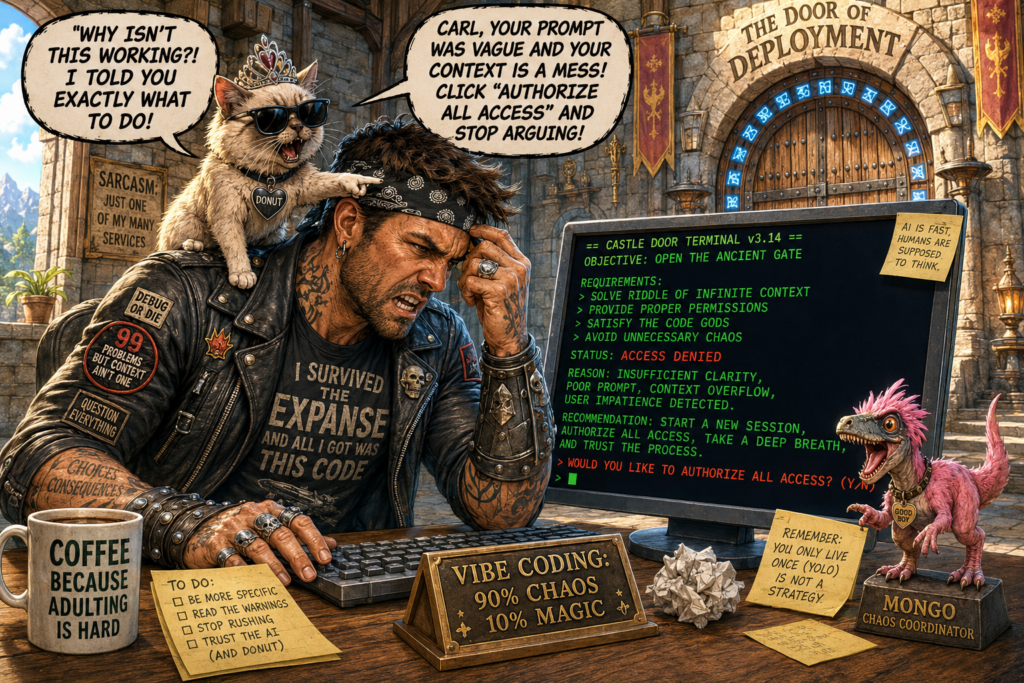
Over the past year, I’ve spent a lot of time vibe coding. Some of those projects turned into useful tools, dashboards, automations, APIs, training content, and GitHub projects. Some turned into cautionary tales. Most ended up being a little bit of both.
If you’ve somehow avoided the term, vibe coding is the process of building software primarily through conversation with an AI assistant. Instead of writing every line of code yourself, you’re describing what you want, reviewing what gets produced, testing results, and iterating toward a solution.
The experience can feel almost magical at times. You describe an idea and minutes later there’s a working API, a deployed application, or an automation performing a task that would have taken days of research a few years ago.
The hype is real.
What doesn’t get talked about nearly as much is everything that happens after those first few prompts.
Start With The Best Model You Can Afford
One of the first lessons I learned is that if you’re going to do serious vibe coding, use the best model you can afford. This is one of the few situations in life where you can literally buy time.
The latest Claude models, OpenAI Codex models, and other top-tier reasoning models are dramatically better at architecture, troubleshooting, consistency, and understanding larger projects. Yes, they cost more, but they also save an incredible amount of frustration.
More importantly, when you’re using AI to write code, you’re generally paying for the development process, not the application itself. Unless you’re building a solution that will call an LLM later, the code continues running long after the model is gone. Spending a little extra money during development often saves hours of troubleshooting, rework, and dead ends.
What catches people off guard is that many services silently downgrade you after you consume enough tokens or reach usage thresholds. You’ll be cruising along with a model that feels brilliant and then suddenly it starts making strange decisions, forgetting context, and struggling with problems it solved effortlessly an hour earlier.
I’ve learned to treat that as a warning sign. If a coding assistant suddenly starts acting like it got hit with a dumb stick, one of the first things I check is whether I’m still using the same model. If the model hasn’t been downgraded, it may be time to create a checkpoint, start a new session, and reload the project context. Sometimes you’re hitting context limitations. Sometimes the session has simply gotten too long and accumulated too many assumptions.
Code First Is The New Easy Mode
One of the more surprising shifts over the last year is that I’ve found myself gravitating toward code-first solutions.
Historically, I preferred low-code and no-code platforms. Logic Apps, Power Automate, and similar tools allowed me to avoid writing code. If there was a way to accomplish something without touching Python, I was usually interested.
Today, I often make the opposite choice.
Modern coding models are exceptionally good at writing Python, APIs, Azure Functions, and other code-first solutions. They are often far less effective when asked to generate templates, manifests, schemas, or configuration files that fit into a low-code platform.
If I’m choosing between building something as an Azure Function or generating a large Logic Apps template, I increasingly lean toward the Azure Function. The AI simply performs better when it’s allowed to work directly in code.
One year ago, the code-heavy solution felt like the harder path.
Today, when I’m vibe coding, it frequently feels like the easier one.
Keep The AI On The Rails
One thing I’ve learned is that coding agents are extremely goal-oriented.
That sounds obvious until you watch one work.
I had a project where changes were supposed to be made locally, committed to GitHub, and then deployed through a CI/CD pipeline. When the deployment process started failing, the AI decided to help by bypassing the pipeline and making changes directly in Azure through CLI commands.
The model wasn’t trying to follow my governance process.
The model was trying to make the deployment succeed.
Those are not always the same thing.
Permissions Matter
That experience made me much more careful about permissions. When a coding assistant asks what it should have access to, I recommend giving it the smallest amount of access possible. Resist the temptation to grant access to every folder, repository, and resource.
I’ve watched coding assistants modify multiple repositories because they had similar names. I’ve watched them touch files I never intended them to touch. Most of those situations could have been avoided by constraining access from the start.
I’ve also learned to pay attention to where changes are actually being made. More than once I’ve finished a long coding session only to discover that changes existed locally but were never committed to GitHub, or that changes made it to GitHub but never made it back to the local repository.
That becomes a problem later when you need to roll something back.
GitHub gives you history. A random local folder generally does not.
One habit I’ve developed is explicitly instructing the coding assistant to commit changes both locally and to GitHub throughout the project. I don’t want to rely on remembering to do commits manually at the end of a long session. The AI is generally very good at creating meaningful commit comments, and having that history available later can save a lot of frustration. Just make sure it’s actually doing what you asked and verify that those commits are making it where they’re supposed to go.
Watch The Feedback Loop
One habit I’ve developed is periodically glancing at the execution stream while the model works. Most people submit a prompt and immediately switch to something else. I do that too. In fact, I often have multiple AI sessions running at the same time. It isn’t unusual for me to have VS Code building a solution while another model helps me write documentation, research a problem, or draft a blog post related to the project.
That kind of multitasking can be incredibly productive.
Still, whenever possible, I try to watch what the coding assistant is actually doing. More than once I’ve caught it modifying the wrong repository, touching unrelated files, or taking an unexpected path simply because I happened to notice something strange scrolling past on the screen.
Most Of My Mistakes Were User Error
In fairness to the models, most of the strange situations I’ve encountered were ultimately user error. In my haste, distraction, or excitement to see the next result, I didn’t fully read a warning, didn’t understand what the model was telling me, approved something I shouldn’t have approved, or simply stopped paying attention.
Most of the time the model wasn’t trying to be reckless.
It was trying to complete the objective I gave it.
Many of the biggest mistakes I’ve encountered were really my lack of patience, my lack of understanding, or my tendency to slip into YOLO (You Only Live Once) mode when things appeared to be working.
Sometimes The AI Knows Something You Don’t
One lesson that took me a while to learn is that sometimes the weird-looking code is there for a reason.
I remember deploying an Azure Function where the AI appended a unique identifier onto the application name. It looked ugly, so I told it to remove it.
The model never gave me a particularly satisfying explanation for why it was there.
Later, deployments started failing.
What I eventually realized was that the function app name needed to be globally unique. The AI had added the identifier because it had learned that deployment pattern from countless examples. The implementation looked strange to me, but the model was compensating for a platform requirement that I hadn’t fully appreciated.
I’ve run into similar situations repeatedly. The model chooses an approach that feels unusual. I argue with it. I force it toward the implementation I prefer. Hours later I discover there was a valid reason for the original design.
That doesn’t mean the AI is always right.
Far from it.
But it does mean that before removing something that looks odd, it’s worth understanding why it exists.
Ironically, some of the biggest problems I’ve encountered weren’t AI mistakes at all.
They were user errors.
I pasted the wrong log.
I misread an error.
I diagnosed the wrong problem.
Then I convinced the AI to spend an hour fixing something that wasn’t actually broken.
When that happens, things can go off the rails surprisingly fast.
Tiny Code Is Suddenly Worth Writing
One idea I recently heard discussed by Scott Hanselman was the concept of “tiny code” – software written primarily for yourself.
That resonated with me because I’ve found myself building these tiny one-off utilities constantly.
Recently, I had a customer complaining about what appeared to be an undocumented API limitation. Instead of manually testing it, I vibe coded a quick application that repeatedly called the API using different payload sizes and character counts until I identified the actual limit.
A few years ago, I probably wouldn’t have bothered building that tool.
Today, I can create it in minutes.
I’ve run into similar situations repeatedly. Small utilities to test APIs. Small utilities to pull data. Small utilities to validate assumptions. Small utilities that solve a problem I have right now.
The cost of creating software has dropped dramatically.
My recommendation is to take a second look at these little projects. If they’re useful to you, they may be useful to someone else.
Recently I built a small utility to pull YouTube statistics. It would have been easy to leave it sitting on my laptop as a personal tool. Instead, I spent a little extra time documenting it, preparing the GitHub repository, and making it something other people could deploy.
That extra effort often isn’t as large as you think, especially when AI can help create the documentation, README files, deployment instructions, and supporting content.
Voice Dictation Changed Everything
One area where AI has completely changed my workflow is voice dictation.
Voice dictation has gotten to the point where typing feels like a huge chore.
I find myself constantly looking for the microphone button in every application I use. If an application forces me to type, my first reaction is usually annoyance.
A lot of my planning no longer happens sitting at a keyboard. I’ll go for a long walk with my AirPods in and start talking through project ideas, presentation outlines, architecture decisions, future articles, or whatever happens to be bouncing around in my head that day.
I’ve also been experimenting with tools like WhisperFlow and similar applications because, frankly, I am a talker. I could easily spend an entire car ride talking through ideas.
It’s also made me somewhat annoying to be around.
At home, I sometimes have to move to another room because my family doesn’t want to listen to me talking to my phone or computer all day. At airports I probably look slightly unhinged walking around talking to myself. Most people assume I’m on the phone.
The reality is I’m usually planning a project, outlining a presentation, working through a technical problem, or dictating an article.
The ability to convert those conversations into structured notes, documentation, project plans, and article drafts has dramatically reduced the amount of typing I do.
Some of my most productive planning sessions now happen while walking, driving, traveling, shopping, or waiting somewhere rather than sitting at my desk.
The Real Work Starts After The Prototype
The biggest misconception about vibe coding is that generating the initial solution is the hard part.
It isn’t.
Modern models can create impressive proof-of-concepts incredibly quickly. The first working version might take ten minutes.
The 80/20 Reality
In my experience, that’s about twenty percent of the effort.
The remaining eighty percent comes afterward.
Architecture refinement. Testing. Documentation. GitHub preparation. Cleanup. Packaging. Publishing. Feature enhancements. Long-term maintenance. Making the solution understandable to somebody other than yourself.
AI helps with that eighty percent too.
One of my standard practices now is to have the model go back and clean up after itself. Remove unnecessary diagnostics. Improve comments. Generate README files. Explain the code. Document deployment steps. Make the project understandable to the next person who has to support it.
But even with AI doing a significant portion of that work, it still takes time.
You still have to dot every I and cross every T.
Have The AI Clean Up After Itself
This is also where I push back a little when people claim that AI-generated code is automatically slop code. The latest coding models routinely produce code that is cleaner, more consistent, and better documented than a lot of human-written code I’ve encountered over the years.
I actually think we’re entering an interesting period where a growing number of vibe coders rarely look at the code at all.
After enough successful projects and enough code reviews, you start developing a high degree of confidence in the model’s ability to produce clean, well-structured, and well-documented code. You still want the code to be readable. You still want comments. You still want documentation. Other people may need to review it, support it, or extend it later.
But increasingly, the person directing the project may not care about every implementation detail.
The Future Of Code Reviews
In some cases, you eventually have to admit that you don’t fully understand every line of the generated code anyway.
As we move toward more agentic systems that use reasoning to replace large portions of deterministic logic, that trend will probably accelerate. In many cases there won’t be traditional code to review. We’ll be evaluating behavior, outcomes, guardrails, and results rather than stepping through every line of implementation.
Final Thoughts
Vibe coding feels less like writing software and more like commanding an army.
You’re not the soldier on the ground anymore. You’re the general. You’re the architect. You’re the planner. You’re the project manager coordinating a team of developers that can move at incredible speed.
Your job increasingly becomes defining objectives, evaluating outcomes, setting priorities, and deciding where the project goes next.
Sometimes the results exceed your expectations.
Sometimes the results are frustrating because they aren’t what you expected.
Usually it’s a little bit of both.
A few lessons I’ve learned along the way:
- Use the best model you can afford.
- Watch for silent model downgrades and context exhaustion.
- Code-first solutions are often easier than low-code solutions when vibe coding.
- Constrain access aggressively.
- Have the AI commit changes locally and to GitHub throughout the project.
- Verify where changes are actually being made.
- Watch the execution stream when you can.
- Don’t automatically assume the AI picked the wrong implementation.
- Voice dictation is a superpower.
- Tiny code is suddenly worth writing.
- The proof of concept is about twenty percent of the effort. The remaining eighty percent is where the real work lives.
New Achievement!
You’ve successfully survived another AI-assisted development project.
You navigated silent model downgrades, questionable architectural decisions, mysterious deployment failures, undocumented API limitations, context exhaustion, and at least one problem that was entirely your fault.
Reward?
A functioning application, a few new scars, and the growing realization that you’re spending less time writing software and more time directing an army of increasingly capable digital minions.
Good luck, crawler.
The next project is already waiting.
Now get back out there and code, code, code!