How ISOC and the data lake are changing the economics of Microsoft Sentinel
The holy grail of SIEM has always been a solution where you can collect as much information as you like and still find the answers you need quickly. Think of a barn that can hold as many hay bales as you can bring in and a magnet powerful enough to pull the needles out of the haystack.
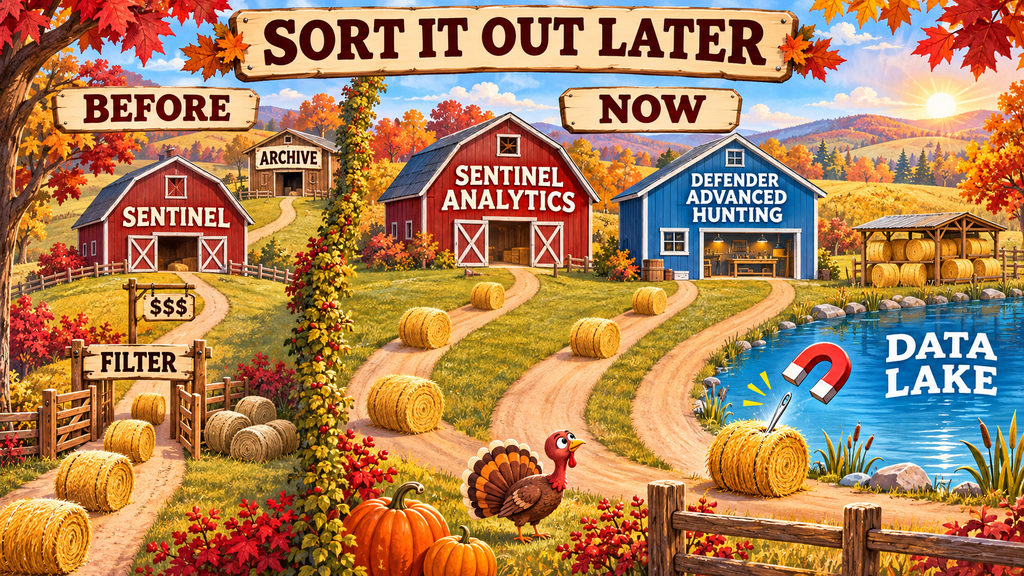
For a long time, we had trouble with both halves of that idea. Either the data was too expensive to collect because there was so much of it, or we collected it and couldn’t find what we needed quickly enough. Both problems pushed us toward the same solution. Collect less. Less data was cheaper to ingest, and there was less to dig through when something happened.
Those limitations are starting to ease. The Sentinel data lake makes it cheaper to keep more of the data. ISOC reduces how much of it you need to pay Sentinel to ingest. And AI gives analysts another way to work through what they collect.
What can we afford to filter out?
One way to think of Sentinel is as a security application that sits on top of a Log Analytics workspace. The workspace is effectively the backend database. We send data there primarily for detection, but we also use it for dashboards and visualizations called workbooks, automation, day-to-day investigations, and, to some degree, centralized long-term retention.
I think Sentinel has been priced competitively for what it does. It can still get expensive at scale. Microsoft offered commitment tiers, so customers who committed to a larger daily volume for a 31-day period could get a lower price per gigabyte. It’s not unlike a cell phone plan, where the per-minute price gets cheaper the more minutes you pre-purchase for the month.
The other big lever was volume. You could lower your price by collecting less data.
Many Sentinel administrators got pretty good at knowing which connectors to turn on, which tables to collect, and which filters to apply. Early on, much of that filtering happened at the source or in an intermediary like Logstash or Cribl. Over time, connectors added more options, and Microsoft gave customers ways to transform or filter records before they landed in the workspace.
Deciding what to trim takes more skill and confidence than people realize. It’s one thing to know that a set of events has never triggered an alert. It’s another to know whether those events will matter in an investigation six months from now. Or maybe you find out during a regulatory review that you were expected to keep a category of logs somebody filtered out years ago. By then, there’s no button you can push to get them back.
The safe bet has always been to collect everything and sort it out later. That, unfortunately, is also an expensive approach. Once you start collecting data, it’s very hard to convince people to turn off collection. The data keeps accumulating, creating a snowball effect.
The data we felt we had to send
A lot of Microsoft’s first-party security data flows into the data store behind the Defender portal. We refer to this as Advanced Hunting data, and the data store is very similar to the workspace used by Sentinel. Most of Microsoft’s first-party security data flows directly or indirectly into the Advanced Hunting data store at no cost to the customer.
The problem was that you only had 30 days to query it in Advanced Hunting. That could feel painfully short when you were trying to establish how long an attacker had been active. The obvious answer was to stream the data into Sentinel. Defender telemetry was valuable enough that it could feel like you had no choice, and it could easily represent 50% or more of the data being sent to Sentinel.
Microsoft’s E5 ingestion benefit helped by covering up to 5 MB per eligible user per day to reduce Defender ingestion costs. That worked out to something like a 20% to 30% reduction in the cost of ingesting Defender data.
There are many other reasons we might want to keep data. Maybe it’s required for compliance. Maybe we want it for behavioral analysis, machine learning, or a long-term assessment. We could go months without running a query against it. Paying full Analytics ingestion rates for every gigabyte was hard to justify when we rarely needed the alerting, workbooks, or automation that came with it.
The data lake gave us somewhere cheaper to put data
Sentinel had long-term archive, which made data cheaper to retain. Unfortunately, that data had to be ingested into Sentinel before it could be retained.
Basic and Auxiliary Logs initially helped as lower-cost ingestion paths to archival. Some customers built a separate path into Azure Data Explorer so they could keep and query those logs without sending them through Sentinel Analytics. ADX was actually a great solution, but it was complex to manage and isn’t the best solution for smaller organizations.
The Sentinel data lake gave us a direct path into a lower-cost tier. Unfortunately, early access could be hard to get. A customer could be in a supported region and still have to request capacity. The September 23 update removed the separate onboarding and billing setup and made the lake much more broadly accessible.
There is a trade-off. For the newer experience, Microsoft points customers to Fabric for advanced analysis with tools like notebooks and KQL jobs. You can now query the lake from Advanced Hunting. Customers effectively gave up some capabilities that were initially available in the Defender portal in exchange for broader availability and some new capabilities that Fabric will bring. We’ll discuss those at a later time.
Consider that ingestion into Sentinel at the lowest U.S. rate costs around $4.50 per GB under the original pay-as-you-go pricing. Under ISOC, that price drops to $2.40 per GB for everyone, regardless of volume. When you stream data from Defender to Sentinel, it drops to $1.20 per GB. And for data that’s sent directly to the data lake, it’s only $0.15 per GB.
What this means is that the ingestion price for most customers has dropped significantly under ISOC. You now have the ability to send data to the data lake directly at a significantly lower price when alerting, dashboarding, and frequent queries are unnecessary. You can also split that data, sending a small, critical subset to Analytics and the full table to the data lake for cheap, long-term archival.
Now, you do have to pay for queries against the data in the data lake, and those queries might be expensive at very high volumes. But the savings at ingestion time more than cover the cost of those queries.
ISOC changes what I’d send to Sentinel
There’s a fair amount of reshuffling in the Defender portal with Integrated Security Operations Center, or ISOC. The more important changes brought about by ISOC are changes to pricing.
ISOC customers get 90 days of included interactive retention in Advanced Hunting and a single pay-as-you-go ingestion tier that starts at $2.40 per GB.
Those 90 days change the calculation. If the Defender data is already there and I can query it, build a workbook, write a custom detection, or trigger automation from an alert, I have fewer reasons to copy it into a Sentinel workspace. If I need it for long-term retention, supported data can go directly to the lake.
You still have the option of sending Defender data to Sentinel, but you do so at a 50% reduction in price, at $1.20 per GB. Once it arrives, you get 180 days of retention included.
Defender telemetry accounts for half or more of what goes into Sentinel. If most of that data can stay in Defender, the biggest savings come from the gigabytes you stop paying to ingest. The old E5 ingestion benefit goes away under ISOC, but so does much of the reason those customers needed it in the first place. Sentinel Analytics becomes the place for third-party data, and Advanced Hunting becomes the place for Microsoft first-party security data.
It’s worth noting that the new $2.40 ingestion tier will be far less expensive for most customers than what they’re paying today. For many large customers or customers that negotiated significant discounts, that might be more than what they’re paying today. I’m certain they can work things out with their sales team or continue to save even more through some of the indirect benefits we discussed.
Sort it out later
A bigger barn gets us only halfway there. We still need a bigger magnet. This is where I see a practical role for AI. An analyst can start with a question about a device or identity, use AI to help write the KQL, follow the activity across datasets, and put together a timeline they can check against the original events.
We’ll still have to decide what we’re allowed to collect, how long to keep it, and what needs to wake somebody up at 2 a.m. What I’d like to do less often is decide, based on today’s ingestion bill, which evidence tomorrow’s investigator can afford to have.